




 (No Ratings Yet)
 Loading...
Fullscreen








 (No Ratings Yet)Loading...
Custom songs in Piano Star: Tap Music Tiles run noticeably slower than the built-in catalog, and that single detail explains more about the game’s design than most of its marketing copy does. Piano Star lets players import their own audio and generates a playable tile chart from it automatically, a feature most competitors in the tile-tapping genre don’t attempt at all.
| Genre | Rhythm / tile-tapping |
| Platform | Android, iOS |
| Content | Pop hits and classical piano tracks, updated regularly |
| Modes | Endless, PVP, offline, custom track import |
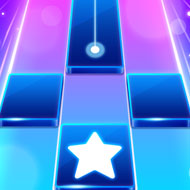
The base loop will feel familiar to anyone who’s touched a tile game before: tap black tiles as they scroll toward you, hold on elongated tiles until they end, and hit double tiles quickly without breaking rhythm. Missing a tile ends the streak and drops you out of the song.
Where Piano Star: Tap Music Tiles distinguishes itself is scope. The catalog blends contemporary pop hits with classical piano pieces, and the developers add new tracks on a near-weekly cadence, which keeps the song list from going stale the way smaller competitors often do.
Endless mode strips away the finite song structure entirely, feeding tiles continuously until you miss, and it’s the mode most dedicated players use to chase personal best streaks. PVP mode, by contrast, pits players against each other on the same track in real time, rewarding consistency over raw speed since one missed tile can hand the round to an opponent.
New players often chase speed before accuracy, tapping ahead of the beat to try to keep pace, which actually breaks the streak faster than tapping slightly late would. The game is more forgiving of a beat behind than a beat ahead.
Importing a personal audio file for the first time, players are frequently surprised the resulting chart plays slower than expected. That’s a known limitation rather than a bug; the custom-track generation algorithm doesn’t yet match the tempo scaling of the pre-built catalog.
Once you’ve unlocked enough coins to stop worrying about song costs, experimenting with custom imports becomes worthwhile purely for the novelty of turning your own music library into playable content, even accounting for the slower tile pacing.
Coin farming through Endless mode before attempting harder pop tracks is a strategy regular players recommend, since it lets you unlock songs without relying entirely on ad-based rewards.
Ad frequency is the most consistently raised complaint, with short ads appearing before rounds and longer thirty-second spots becoming common after just a few songs. It’s a real cost to the pacing, and players hoping for continuous sessions without interruption should go in with that expectation set correctly.
Yes, the custom import feature generates a tile chart automatically from any audio file you provide, though the resulting tiles tend to move slower than tracks from the built-in catalog.
Endless mode is a solo, continuously escalating challenge with no fixed end point, while PVP pits you against another player on a shared track where the first to miss typically loses.
Yes, offline modes are available for practice and single-song play, separate from the PVP mode which requires a live connection.
Piano Star: Tap Music Tiles earns its spot in a crowded genre through sheer catalog breadth and the custom-import gimmick, even if the ad load and uneven custom-track pacing keep it from feeling fully polished. For players who want their own songs turned into a tile chart, there’s still nothing else in the category that does it quite the same way.





There are no reviews yet. Be the first one to write one.