





 (No Ratings Yet)
 Loading...
Fullscreen






 (No Ratings Yet)Loading...
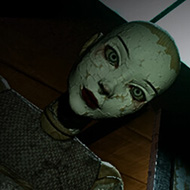
 Shutter Story looks like a slow, grainy found-footage clip you’d scroll past at midnight, but it plays like a reflex trial that punishes you for standing still. The moment the Stimulation Bar appears on screen and starts creeping toward its limit if you don’t move the mouse, any expectation of a passive horror clip disappears.
The core system running under every scene in Shutter Story is the Stimulation Bar, a meter that drops when you hold still and rises when you move the mouse. Staying frozen for too long fails a section just as surely as panicking and thrashing the cursor around does, so the actual skill being tested is controlled, deliberate movement rather than either extreme.
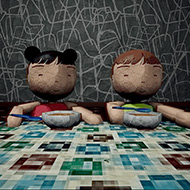
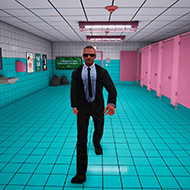
Layered on top of that meter are several distinct challenge types you rotate through as scenes change: spot-the-difference comparisons, a maze section with blocks that toggle open and shut, and timed sequences where hesitation costs you directly. None of them share a single control scheme, so the game keeps resetting what “playing well” even means from section to section.
Players who came in expecting a mostly-watch horror clip tend to underestimate how much the mouse-dexterity demands shape the middle stretch of a run. Fans of tighter reflex-based games tend to adjust faster here than viewers used to passive horror content, since the muscle memory carries over almost directly.
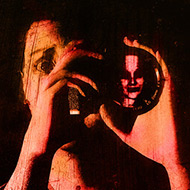
Periodically an entity referred to as the Eye appears over the scene, and the only correct response is to click it away before it lingers too long. It isn’t a jump scare so much as an interruption you have to manage while still tracking whatever the current section demands of you, which is exactly why it catches people off guard the second or third time it shows up rather than the first.
There’s also an Emergency Termination Button sitting in view during certain sections. Clicking it ends the current assessment outright, and newer players occasionally hit it by accident while trying to click past the Eye, only to realize afterward what the button actually does.
That tension is also why players tend to file Shutter Story under analog horror rather than treat it as straight found-footage horror, even though the opening frames borrow that look directly. Juggling the Stimulation Bar, the Eye, and whatever the active section demands, all at the same time, is what the tag is really describing.
Among the maze sections, the fourth one, a zig-zag layout, is the one most frequently singled out as the hardest stretch of a run. The toggling blocks demand a route planned slightly ahead of where the cursor currently sits, and panicking through it tends to trip the Stimulation Bar at the worst possible moment.
What separates a clean run from a rough one is rarely reflexes alone. It’s recognizing which sections reward stillness and which reward motion, then adjusting instantly rather than defaulting to one instinct for the whole game.
By the time a second maze section appears, most players have already recalibrated how they hold the mouse, moving in smaller, steadier motions instead of the wide, panicked swings that worked in earlier, simpler sections.
Because the baseline difficulty is genuinely demanding, Shutter Story ships with a set of settings most short horror games don’t bother including. The list covers a real range of what players can adjust before starting a run:
None of these settings shorten the fifteen-to-thirty-minute run, but they noticeably change how much of that time is spent failing the same section repeatedly. Players sensitive to sudden brightness changes should still expect some jarring shifts, since not every visual effect is covered by the toggles.
Shutter Story earns its short runtime by refusing to let any single section settle into a rhythm, and it’s that constant recalibration between the Stimulation Bar, the Eye, and the maze sections that players still bring up when they talk about why it stuck with them longer than its length suggests.




There are no reviews yet. Be the first one to write one.